
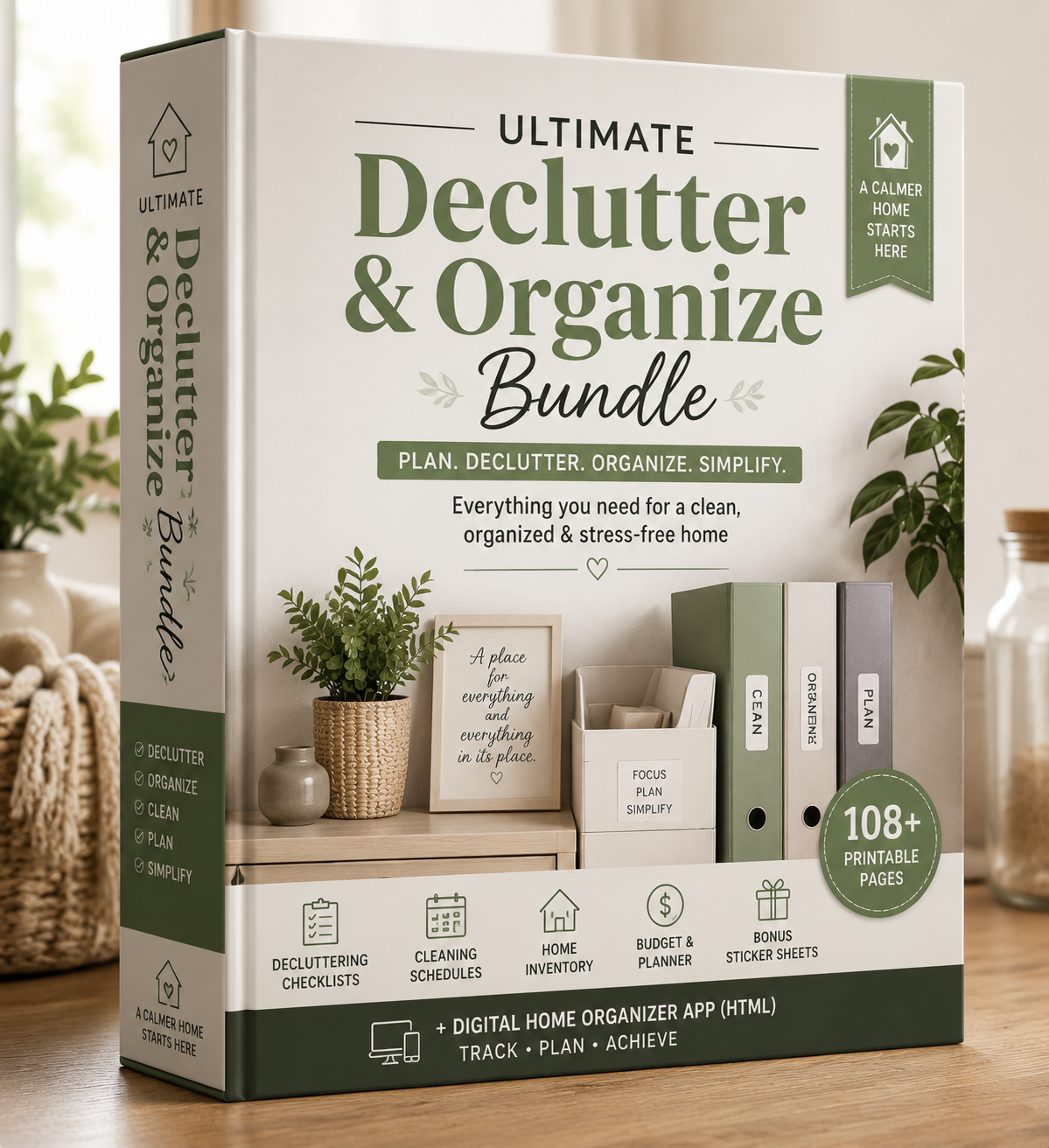
Home Organization Planner Bundle | 108 Pages + Digital APP
$ 59
Description
Home Organization planner Bundle – 180 Printable pages + Interactive Decluttering APP
Transform your home into a clean, organized, and stress-free space with this Ultimate Home Decluttering & Organization Bundle. This all-in-one digital planner includes 108 printable PDF pages plus a Home Decluttering HTML App to help you organize every room, manage cleaning routines, track home inventory, and simplify your daily life.
What’s Included:
- 108 Printable PDF Planner Pages
- Digital Home Decluttering HTML App
- Room-by-Room Decluttering Checklists
- Daily, Weekly & Monthly Cleaning Schedules
- Home Inventory Tracker
- Pantry & Fridge Inventory
- Closet & Capsule Wardrobe Planner
- Kids Toy Organization Planner
- Budget & Expense Planner
- Goal Tracker
- Weekly & Daily Planner
- Recipe Log
- Annual Planner
- Printable Sticker Sheets
Perfect For:
- Busy Moms
- Families
- Homeowners
- Apartment Living
- Minimalist Lifestyle
- Spring Cleaning
- Moving & Relocating
- Home Management
Instant Digital Download
- Printable PDF (US Letter)
- Works on Windows & Mac
- Use with Goodnotes, Notability, or print at home
- No physical item will be shipped59
What’s Included
- 108 Printable Planner Pages: Use the included pages to plan and organize your home, if these pages are included in your purchased download.
- Digital Decluttering HTML App: A browser-based organizer for managing home organization tasks, provided as an HTML file.
- Cleaning Schedule: Plan recurring cleaning routines and household chores.
- Pantry Inventory: Keep track of pantry items and household supplies.
- Household Planning Tools: Organize daily tasks and home management routines.
- Bonus Pages: Additional planning pages included in the download bundle, as specified in the product files.
How It Works in 3 Easy Steps
Step 1: Purchase and Download
Complete your purchase and use the download link provided on the order page or in your order email. Save the supplied files to your device and extract the ZIP folder if your download comes as a ZIP file.
Step 2: Open Your Files
On Windows or Mac, open the HTML app in a compatible browser such as Google Chrome, Microsoft Edge, or Safari. Open any included PDF planner pages with a PDF reader or import them into a compatible digital note-taking app.
On mobile, download the files and locate them in your Downloads folder or Files app. Tap the HTML file and try opening it in a compatible browser. Some mobile browsers restrict local HTML files, so a desktop or laptop may offer a more reliable experience.
Step 3: Start Organizing Your Home
Use the app’s available tools to manage decluttering tasks and household routines. Print the included planner pages or import compatible PDF pages into your preferred digital planner app.
Important Data & Backup Warning
Please read this before using the digital decluttering app.
This is an organizational tool, not a guaranteed cloud storage service.
- Depending on the app’s implementation, your entries may be stored locally in your browser or device.
- Clearing browser history alone may not always delete saved entries, but clearing site data, cookies, local storage, or browser storage may cause information to be lost.
- Changing browsers, using private browsing, or switching devices may make existing entries unavailable.
- Your information may not transfer automatically to another computer or phone.
- If the app provides JSON Export and Import features, export backups regularly and save them in a secure location.
- Before changing devices or clearing browser data, export your entries first if the feature is available.
- Keep backup files safe and test restoring a sample backup before relying on it.
JSON backup notice: JSON backup and restore work only if these features are implemented in the actual HTML app. A backup warning alone does not create an export or restore function.
Personal-Use License
Your purchase grants you a personal-use license for your own household organization.
You may:
- Use the included planner pages and app for your personal home organization.
- Print included printable pages for your own use, subject to the files supplied.
You may not:
- Resell, redistribute, share, or give away the original files.
- Upload the files to public websites or file-sharing platforms.
- Claim the original content as your own or sell it as a standalone product.
- Use the files for commercial redistribution or resale.
This license applies to the files supplied with this product. All rights not expressly granted remain with the copyright owner.
Frequently Asked Questions
1. Is this a PDF or an HTML app?
The digital decluttering app is an HTML file, not a PDF. The 108 printable pages are available in the formats actually supplied with your download. Check the included files before purchase.
2. Does the app work on Windows and Mac?
The HTML app is intended for use in a compatible modern browser on Windows or macOS. Features may vary depending on browser settings and how the app is implemented.
3. Can I open it on my phone?
You can try opening the downloaded HTML file from your phone’s Downloads or Files app. Some mobile browsers restrict local HTML files or certain features. A desktop or laptop is recommended if the file does not work correctly on mobile.
4. How do I download my purchase?
After payment, open your order confirmation or download link, save the supplied files, and extract the ZIP folder if applicable. Keep a copy of your original download.
5. How do I use the planner in Goodnotes?
If printable pages are supplied as PDF files, open Goodnotes, select New or Import, choose your PDF, and import it as a document. You can then write on and annotate compatible pages. The HTML app itself cannot be imported into Goodnotes as an editable PDF planner.
6. Will my app entries be saved?
This depends on the app’s storage implementation. Entries stored locally may be lost if browser storage is cleared or may not be available in another browser or device. Back up your data regularly if export is supported.
7. How can I back up my entries?
If your app includes JSON Export, use it to download a backup file and store it securely. To recover entries, open the app and use its JSON Import or Restore option, if available.
8. What are the bonus pages?
Bonus pages are additional planning resources included in the download, if specified in the product contents. Review the included file list to confirm the exact bonus items.
9. Can I share the planner with family or friends?
You may use the product for your own household under the personal-use license. Sharing or redistributing the original files to others is not permitted under this license.
10. Is this a medical or professional service?
No. This is a home organization and planning tool. It does not provide medical, legal, financial, or professional cleaning advice.
Disclaimer
This product is provided for personal home organization, planning, and decluttering purposes only. It is a digital organizational tool and does not guarantee any particular result. Compatibility and data storage depend on the supplied files, browser, and device. Always maintain independent backups of important information where supported
Reviews
There are no reviews yet.