
90-Days Habit Tracker Dashboard | Fitness & Wellness Planner
$ 19
Description
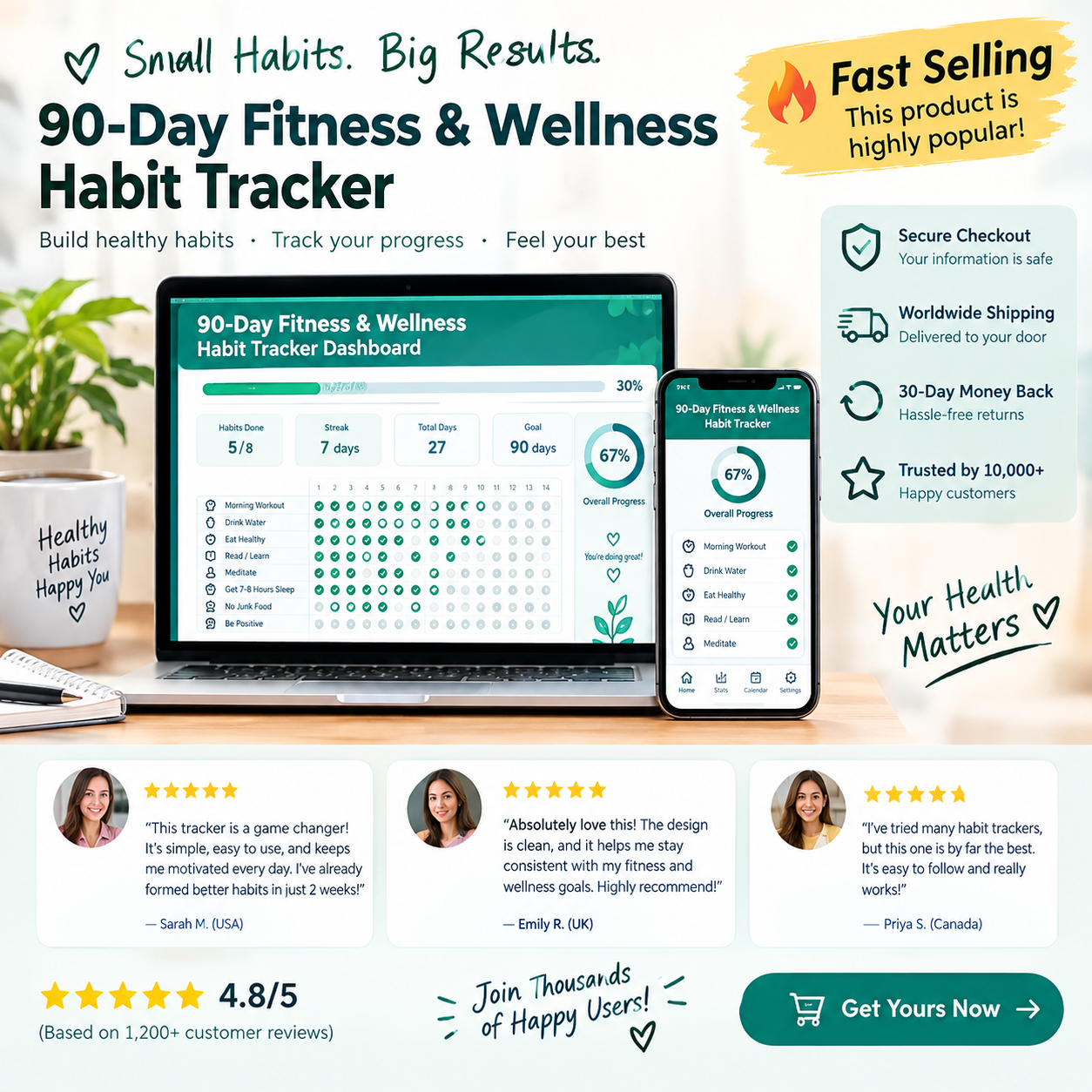
90-Day Fitness & Wellness Habit Tracker Dashboard – Interactive HTML Planner
The 90-Day Fitness & Wellness Habit Tracker Dashboard helps you log daily habits, workouts, water, sleep, mood and body measurements in one organized place, then shows your progress with streaks, charts and badges.
What’s included
– Interactive Today dashboard with progress ring
– Daily check-in: water, sleep, mood, energy and notes
– 90-day habit grid with weekly completion percentages
– Workout log with weekly minutes chart
– Body tracker with weight and waist charts (metric or imperial)
– Progress insights: streaks, averages, heatmap, habit ranking
– 16 achievement badges
– Custom habits, adjustable targets, dark mode
– Backup, restore and print
– Browser-based private storage
Who it’s for
Anyone who wants an easy, private way to build healthy routines: beginners starting a home workout plan, people building daily wellness habits, or anyone who prefers a one-time purchase over a subscription app.
How to use it
1. Download the HTML file after purchase
2. Open it in any modern browser
3. Set your start date and begin tracking
Good to know
Your entries are saved privately in your browser on the device you use. They do not sync between devices, so use the built-in Export Backup button regularly.
Questions? Message me and I’ll be happy to help.
How It Works
Your 90-Day Fitness & Wellness Habit Tracker Dashboard is a digital planning tool designed to help you build healthier routines, stay consistent, and monitor your progress over 90 days.
Getting Started:
- Purchase & Download: Complete your purchase and download the provided digital HTML dashboard file.
- Open the Dashboard: Open the downloaded HTML file in a modern web browser, such as Google Chrome, on a compatible device.
- Set Your Goals: Choose your fitness, wellness, and daily habit goals according to the options available in your dashboard.
- Track Your Progress: Update your daily habits and activities regularly.
- Review Your Progress: Use the available tracking features to reflect on your consistency and identify areas for improvement.
- Stay Consistent: Review your progress regularly and continue working toward your 90-day goals.
No physical product will be shipped. This is a digital download.
How to Back Up Your Data
Your dashboard data may be stored locally in your browser or on your device, depending on how the file is designed.
Important: Keep a separate backup of your progress to help prevent accidental data loss.
If your dashboard includes an Export or Backup option:
- Open your dashboard on the device where your progress is saved.
- Locate the Export, Backup, or Download Data option.
- Export your current data and save the backup file in a secure folder.
- Keep an additional copy in a trusted cloud storage service or on another secure device.
- Create a fresh backup regularly as you update your progress.
If your dashboard does not include an export feature, check the included instructions before changing browsers, clearing browser data, or moving to another device.
How to Transfer Your Data to a New Device
Want to switch from your laptop to another computer or replace your device? Follow these steps if your dashboard supports data export and import.
On your old device:
- Open the dashboard where your latest progress is saved.
- Use the Export or Backup feature to download your data.
- Save the backup file somewhere safe.
On your new device:
- Download the original dashboard file again from your purchase.
- Open it in a compatible browser.
- Locate the Import or Restore option, if available.
- Select your saved backup file and follow the on-screen instructions.
- Check that your habits and saved progress have been restored correctly.
Please note: Export and import are only available if supported by the dashboard. Downloading the HTML file on a new device does not automatically transfer your saved progress.
Can I Use the Dashboard on Multiple Devices?
You can download the dashboard file on compatible personal devices for your own use, subject to the product’s licence terms.
However, local browser storage does not automatically sync data between devices.
- One device: Continue tracking your progress in the same browser where your data is saved.
- A new device: Transfer your backup if the dashboard supports export and import.
- Multiple devices: Do not expect your progress to sync automatically unless a supported synchronisation feature is included.
For the most reliable experience, choose one primary device for daily tracking and keep regular backups.
Important Data-Safety Information
- Your dashboard is a digital self-tracking and planning tool.
- Your data may be stored locally rather than in an online account.
- Clearing browser data, resetting your device, or changing browsers may affect saved progress.
- Keep your own backup of important information.
- Do not share personal or sensitive information through an unsecured device.
- Features such as cloud synchronisation, automatic backups, export, and import are available only if specifically supported by the product.
Refund & Return Policy
All Sales Are Final — No Refunds
Due to the digital nature of this product and the instant delivery of downloadable files, all purchases are final. We do not offer refunds, returns, exchanges, or cancellations once an order has been completed and digital access or download has been provided.
Please carefully review the product description, included features, file format, and usage instructions before purchasing.
If you experience a technical issue with your download or have difficulty opening the supplied file, please contact us for assistance.
Nothing in this policy excludes any rights or remedies that cannot legally be excluded under applicable consumer protection laws.
Q: Is this a physical product?
No. This is a digital download. No physical item will be shipped.
Q: Do I need a subscription?
The product is sold as a digital download. No additional subscription is required to download the supplied file.
Q: Will my progress automatically transfer to a new device?
No. Local browser data does not automatically transfer between devices. Use the dashboard’s supported backup and restore features, if available.
Q: Can I export and import my data?
Only if your version of the dashboard includes those features. Please check the available controls and instructions.
Q: Can I use it on my phone, tablet, and computer?
You may be able to open the HTML file on compatible devices using a modern browser. The layout and functionality can vary by device. Your data will not automatically sync between them.
Q: What happens if I clear my browser history or data?
Clearing browser data may remove locally stored dashboard information, depending on how the dashboard saves its data. Back up your progress before clearing browser data.
Q: Can I get a refund after downloading the dashboard?
Our policy is that completed digital purchases are final and non-refundable, subject to applicable consumer protection laws. Please read the product details before purchasing.
Q: Is this dashboard medical advice?
No. This dashboard is intended for personal fitness, wellness planning, and habit tracking. It is not a substitute for professional medical advice, diagnosis, or treatment.
Start your 90-day journey today: Build healthier routines, track your daily actions, and celebrate your progress one day at a time.


Reviews
There are no reviews yet.